ROSインターフェースを使ったサンプル
頭部関節制御
actionで頭部関節を以下に制御する
Joint名
指令値
head_pan_joint1.0[rad]
head_tilt_joint0.5[rad]
$ ros2 action send_goal /head_trajectory_controller/follow_joint_trajectory control_msgs/action/FollowJointTrajectory "{trajectory: {joint_names: ["head_pan_joint", "head_tilt_joint"], points: [{positions: [1.0, 0.5], time_from_start: {sec: 2.0}}]}}"
publishされている頭部のコントローラの現在状態を取得する
$ ros2 topic echo /head_trajectory_controller/state
header:
  stamp:
    sec: 1647835540
    nanosec: 104428359
  frame_id: ''
  joint_names:
  - head_tilt_joint
  - head_pan_joint
  desired:
  positions:
  - 0.5
  - 1.0
  velocities:
  - 0.0
  - 0.0
  accelerations:
  - 0.0
  - 0.0
  effort: []
  time_from_start:
    sec: 0
    nanosec: 0
actual:
  positions:
  - 0.5002282179067921
  - 0.9999919034998204
  velocities: []
  accelerations: []
  effort: []
  time_from_start:
    sec: 0
    nanosec: 0
error:
  positions:
  - -0.0002282179067920609
  - 8.096500179632926e-06
  velocities: []
  accelerations: []
  effort: []
  time_from_start:
    sec: 0
    nanosec: 0
目標軌道を設定するsubscriberに対して以下の指令を出す
Joint名
指令値
head_pan_joint0.5[rad]
head_tilt_joint1.0[rad]
$ ros2 topic pub --once /head_trajectory_controller/joint_trajectory trajectory_msgs/msg/JointTrajectory "{joint_names: ["head_pan_joint", "head_tilt_joint"], points: [{positions: [0.5, 1.0], time_from_start: {sec: 3.0}}]}"
腕部関節制御
actionで椀部関節を以下に制御する
Joint名
指令値
arm_flex_joint0.0[rad]
arm_lift_joint0.2[m]
arm_roll_joint-1.57[rad]
wrist_flex_joint-1.57[rad]
wrist_roll_joint0.0[rad]
$ ros2 action send_goal /arm_trajectory_controller/follow_joint_trajectory control_msgs/action/FollowJointTrajectory "{trajectory: {joint_names: ["arm_flex_joint", "arm_lift_joint", "arm_roll_joint", "wrist_flex_joint", "wrist_roll_joint"], points: [{positions: [0.0, 0.2, -1.57, -1.57, 0.0], time_from_start: {sec: 5.0}}]}}"
publishされている頭部のコントローラの現在状態を取得する
$ ros2 topic echo /arm_trajectory_controller/state
header:
  stamp:
    sec: 1647835459
    nanosec: 69912926
  frame_id: ''
  joint_names:
  - arm_lift_joint
  - arm_flex_joint
  - arm_roll_joint
  - wrist_flex_joint
  - wrist_roll_joint
  desired:
  positions:
  - 0.2
  - 0.0
  - -1.57
  - -1.57
  - 0.0
  velocities:
  - 0.0
  - 0.0
  - 0.0
  - 0.0
  - 0.0
  accelerations:
  - 0.0
  - 0.0
  - 0.0
  - 0.0
  - 0.0
  effort: []
  time_from_start:
    sec: 0
    nanosec: 0
actual:
  positions:
  - 0.19970873540096648
  - -1.9862772813183938e-06
  - -1.5700972685438084
  - -1.5695222863478908
  - 1.4550485046171957e-05
  velocities: []
  accelerations: []
  effort: []
  time_from_start:
    sec: 0
    nanosec: 0
error:
  positions:
  - 0.0002912645990336138
  - 1.9862772813183938e-06
  - 9.72685438083154e-05
  - -0.00047771365210902417
  - -1.4550485046171957e-05
  velocities: []
  accelerations: []
  effort: []
  time_from_start:
    sec: 0
    nanosec: 0
目標軌道を設定するsubscriberに対して以下の指令を出す
Joint名
指令値
arm_flex_joint0.0[rad]
arm_lift_joint0.0[m]
arm_roll_joint-1.57[rad]
wrist_flex_joint-1.57[rad]
wrist_roll_joint0.0[rad]
$ ros2 topic pub --once /arm_trajectory_controller/joint_trajectory trajectory_msgs/msg/JointTrajectory "{joint_names: ["arm_flex_joint", "arm_lift_joint", "arm_roll_joint", "wrist_flex_joint", "wrist_roll_joint"], points: [{positions: [0.0, 0.0, -1.57, -1.57, 0.0], time_from_start: {sec: 3.0}}]}"
ハンド制御
actionでハンドを以下に制御する
Joint名
指令値
hand_motor_joint1.0[rad]
$ ros2 action send_goal /gripper_controller/follow_joint_trajectory control_msgs/action/FollowJointTrajectory "{trajectory: {joint_names: ["hand_motor_joint"], points: [{positions: [1.0], time_from_start: {sec: 2.0}}]}}"
actionで指定した力(1.0[N])で握りこむ
$ ros2 action send_goal /gripper_controller/grasp tmc_control_msgs/action/GripperApplyEffort "{effort: -1.0}"
actionで指定した力(1.0[N])で把持する
$ ros2 action send_goal /gripper_controller/apply_force tmc_control_msgs/action/GripperApplyEffort "{effort: 1.0}"
目標軌道を設定するsubscriberに対して以下の指令を出す
Joint名
指令値
hand_motor_joint1.0[rad]
$ ros2 topic pub --once /gripper_controller/joint_trajectory trajectory_msgs/msg/JointTrajectory "{joint_names: ["hand_motor_joint"], points: [{positions: [1.0], time_from_start: {sec: 3.0}}]}"
台車制御
actionで以下の台車軌道再生を行う
Joint名
指令値
odom_x0.5[m]
odom_y0.0[m]
odom_t0.0[rad]
$ ros2 action send_goal /omni_base_controller/follow_joint_trajectory control_msgs/action/FollowJointTrajectory "{trajectory: {joint_names: ["odom_x", "odom_y", "odom_t"], points: [{positions: [0.5, 0.0, 0.0], time_from_start: {sec: 3.0}}]}}"
publishされている台車コントローラの現在状態を取得する
$ ros2 topic echo /omni_base_controller/state
header:
  stamp:
    sec: 1647836100
    nanosec: 780639190
  frame_id: ''
joint_names:
- odom_x
- odom_y
- odom_t
desired:
  positions: []
  velocities: []
  accelerations: []
  effort: []
  time_from_start:
    sec: 0
    nanosec: 0
actual:
  positions:
  - 0.0
  - 0.0
  - 0.0
  velocities:
  - -0.0010223520662738157
  - 6.758229886193314e-05
  - -0.2545051782656925
  accelerations: []
  effort: []
  time_from_start:
    sec: 0
    nanosec: 0
error:
  positions: []
  velocities: []
  accelerations: []
  effort: []
  time_from_start:
    sec: 0
    nanosec: 0
publishされているロボット起動時からのホイールオドメトリを取得する
$ ros2 topic echo /omni_base_controller/wheel_odom
header:
  stamp:
    sec: 1647836473
    nanosec: 646157354
  frame_id: odom
child_frame_id: base_footprint_wheel
pose:
  pose:
    position:
      x: -9.0851020155767
      y: -5.075906977696168
      z: 0.0
    orientation:
      x: -0.0
      y: -0.0
      z: -0.5359724394722091
      w: 0.8442354790733502
  covariance:
  - 0.0
  - 0.0
  - 0.0
  - 0.0
  - 0.0
  - 0.0
  - 0.0
  - 0.0
  - 0.0
  - 0.0
  - 0.0
  - 0.0
  - 0.0
  - 0.0
  - 0.0
  - 0.0
  - 0.0
  - 0.0
  - 0.0
  - 0.0
  - 0.0
  - 0.0
  - 0.0
  - 0.0
  - 0.0
  - 0.0
  - 0.0
  - 0.0
  - 0.0
  - 0.0
  - 0.0
  - 0.0
  - 0.0
  - 0.0
  - 0.0
  - 0.0
twist:
  twist:
    linear:
      x: -0.0010379325663322169
      y: 6.24562721239427e-05
      z: 0.0
    angular:
      x: 0.0
      y: 0.0
      z: -0.24736113963905038
  covariance:
  - 0.0
  - 0.0
  - 0.0
  - 0.0
  - 0.0
  - 0.0
  - 0.0
  - 0.0
  - 0.0
  - 0.0
  - 0.0
  - 0.0
  - 0.0
  - 0.0
  - 0.0
  - 0.0
  - 0.0
  - 0.0
  - 0.0
  - 0.0
  - 0.0
  - 0.0
  - 0.0
  - 0.0
  - 0.0
  - 0.0
  - 0.0
  - 0.0
  - 0.0
  - 0.0
  - 0.0
  - 0.0
  - 0.0
  - 0.0
  - 0.0
  - 0.0
目標速度を設定するsubscriberに対して指令を出す
$ ros2 topic pub --once /omni_base_controller/cmd_vel geometry_msgs/msg/Twist "{linear: {x: 1.0, y: 0.0, z: 0.0}, angular: {x: 0.0, y: 0.0, z: 0.0}}"
手先カメラ
publishされているカメラ情報を取得する
$ ros2 topic echo /hand_camera/camera_info
header:
  stamp:
    sec: 10068
    nanosec: 857000000
  frame_id: hand_camera_frame
height: 480
width: 640
distortion_model: plumb_bob
d:
- 0.0
- 0.0
- 0.0
- 0.0
- 0.0
k:
- 205.46963709898583
- 0.0
- 320.5
- 0.0
- 205.46963709898583
- 240.5
- 0.0
- 0.0
- 1.0
r:
- 1.0
- 0.0
- 0.0
- 0.0
- 1.0
- 0.0
- 0.0
- 0.0
- 1.0
p:
- 205.46963709898583
- 0.0
- 320.5
- -14.382874596929009
- 0.0
- 205.46963709898583
- 240.5
- 0.0
- 0.0
- 0.0
- 1.0
- 0.0
binning_x: 0
binning_y: 0
roi:
  x_offset: 0
  y_offset: 0
  height: 0
  width: 0
  do_rectify: false
publishされているカメラ画像をrqtで表示する
rqtが起動したら、「Plugins」→「Visualization」→「Image View」の順に選択し、トピック名から「/hand_camera/image_raw」を選択する
$ rqt
頭部広角カメラ
注釈
HSRBでのみ利用可能です。
publishされているカメラ情報を取得する
$ ros2 topic echo /head_center_camera/camera_info
header:
  stamp:
    sec: 10068
    nanosec: 857000000
  frame_id: head_center_camera_frame
height: 480
width: 640
distortion_model: plumb_bob
d:
- 0.0
- 0.0
- 0.0
- 0.0
- 0.0
k:
- 205.46963709898583
- 0.0
- 320.5
- 0.0
- 205.46963709898583
- 240.5
- 0.0
- 0.0
- 1.0
r:
- 1.0
- 0.0
- 0.0
- 0.0
- 1.0
- 0.0
- 0.0
- 0.0
- 1.0
p:
- 205.46963709898583
- 0.0
- 320.5
- -14.382874596929009
- 0.0
- 205.46963709898583
- 240.5
- 0.0
- 0.0
- 0.0
- 1.0
- 0.0
binning_x: 0
binning_y: 0
roi:
  x_offset: 0
  y_offset: 0
  height: 0
  width: 0
  do_rectify: false
publishされているカメラ画像をrqtで表示する
rqtが起動したら、「Plugins」→「Visualization」→「Image View」の順に選択し、トピック名から「/head_center_camera/image_raw」を選択する
$ rqt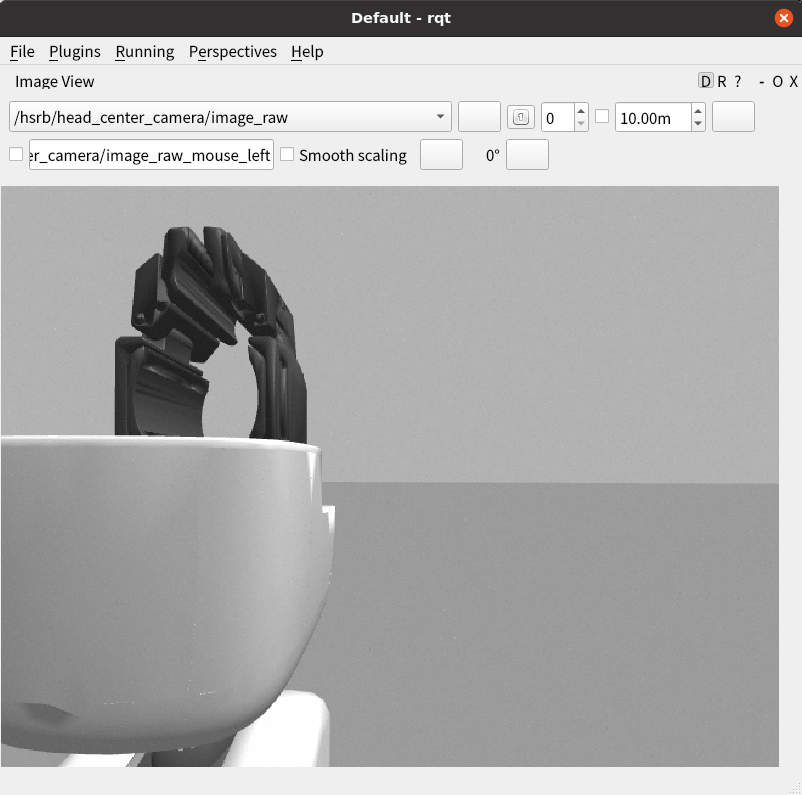
頭部ステレオカメラ(左)
注釈
シミュレータでのみ利用可能です。
publishされているカメラ情報を取得する
$ ros2 topic echo /head_l_stereo_camera/camera_info
header:
  stamp:
    sec: 10286
    nanosec: 189000000
  frame_id: head_l_stereo_camera_frame
height: 960
width: 1280
distortion_model: plumb_bob
d:
- 0.0
- 0.0
- 0.0
- 0.0
- 0.0
k:
- 968.7653251755174
- 0.0
- 640.5
- 0.0
- 968.7653251755174
- 480.5
- 0.0
- 0.0
- 1.0
r:
- 1.0
- 0.0
- 0.0
- 0.0
- 1.0
- 0.0
- 0.0
- 0.0
- 1.0
p:
- 968.7653251755174
- 0.0
- 640.5
- -0.0
- 0.0
- 968.7653251755174
- 480.5
- 0.0
- 0.0
- 0.0
- 1.0
- 0.0
binning_x: 0
binning_y: 0
roi:
  x_offset: 0
  y_offset: 0
  height: 0
  width: 0
  do_rectify: false
publishされているカメラ画像をrqtで表示する
rqtが起動したら、「Plugins」→「Visualization」→「Image View」の順に選択し、トピック名から「/head_l_stereo_camera/image_raw」を選択する
$ rqt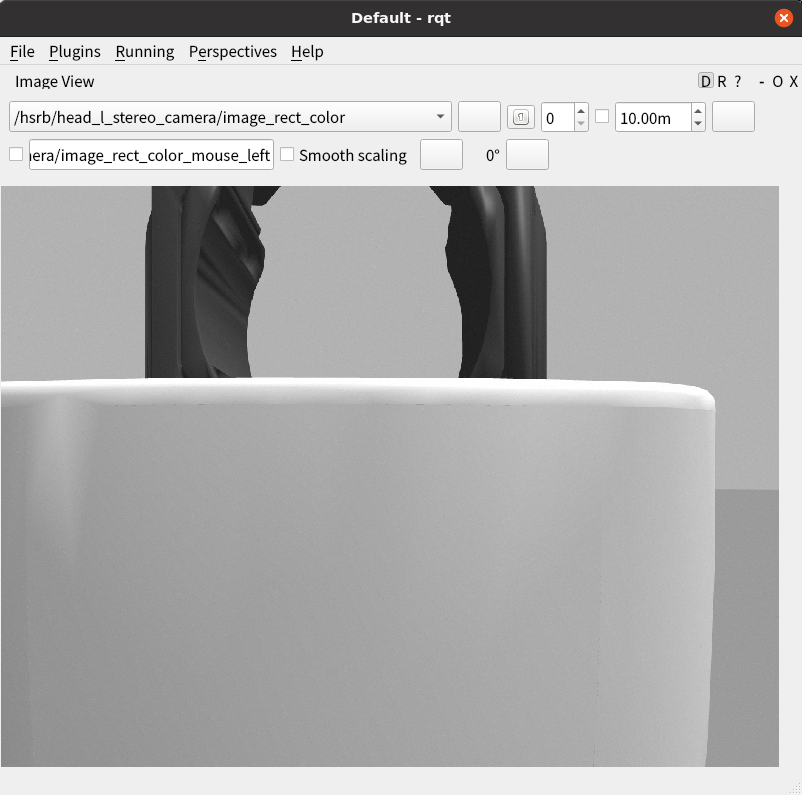
頭部ステレオカメラ(右)
注釈
シミュレータでのみ利用可能です。
publishされているカメラ情報を取得する
$ ros2 topic echo /head_r_stereo_camera/camera_info
header:
  stamp:
    sec: 10286
    nanosec: 189000000
  frame_id: head_r_stereo_camera_frame
height: 960
width: 1280
distortion_model: plumb_bob
d:
- 0.0
- 0.0
- 0.0
- 0.0
- 0.0
k:
- 968.7653251755174
- 0.0
- 640.5
- 0.0
- 968.7653251755174
- 480.5
- 0.0
- 0.0
- 1.0
r:
- 1.0
- 0.0
- 0.0
- 0.0
- 1.0
- 0.0
- 0.0
- 0.0
- 1.0
p:
- 968.7653251755174
- 0.0
- 640.5
- -0.0
- 0.0
- 968.7653251755174
- 480.5
- 0.0
- 0.0
- 0.0
- 1.0
- 0.0
binning_x: 0
binning_y: 0
roi:
  x_offset: 0
  y_offset: 0
  height: 0
  width: 0
  do_rectify: false
publishされているカメラ画像をrqtで表示する
rqtが起動したら、「Plugins」→「Visualization」→「Image View」の順に選択し、トピック名から「/head_r_stereo_camera/image_raw」を選択する
$ rqt
頭部3次元距離センサ
publishされているカメラ情報(rgb)を取得する
$ ros2 topic echo /head_rgbd_sensor/rgb/camera_info
header:
  stamp:
    sec: 10464
    nanosec: 510000000
  frame_id: head_rgbd_sensor_rgb_frame
height: 480
width: 640
distortion_model: plumb_bob
d:
- 0.0
- 0.0
- 0.0
- 0.0
- 0.0
k:
- 554.3827128226441
- 0.0
- 0.0
- 0.0
- 554.3827128226441
- 0.0
- 0.0
- 0.0
- 1.0
r:
- 1.0
- 0.0
- 0.0
- 0.0
- 1.0
- 0.0
- 0.0
- 0.0
- 1.0
p:
- 554.3827128226441
- 0.0
- 0.0
- -0.0
- 0.0
- 554.3827128226441
- 0.0
- 0.0
- 0.0
- 0.0
- 1.0
- 0.0
binning_x: 0
binning_y: 0
roi:
  x_offset: 0
  y_offset: 0
  height: 0
  width: 0
  do_rectify: false
publishされているセンサ画像をrqtで表示する
rqtが起動したら、「Plugins」→「Visualization」→「Image View」の順に選択し、トピック名から「/head_rgbd_sensor/rgb/image_rect_color」を選択する
$ rqt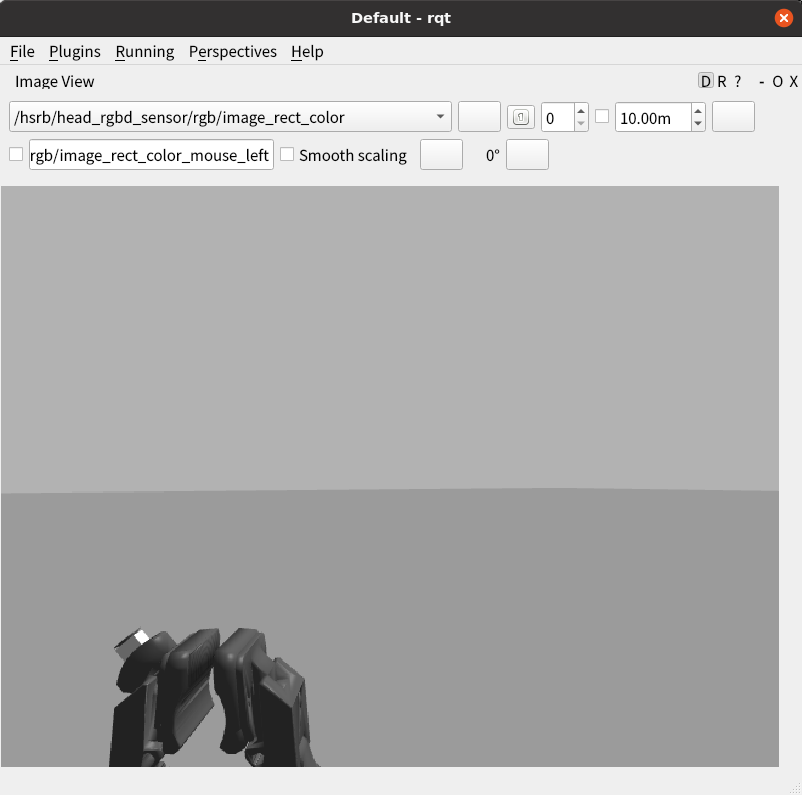
publishされているカメラ情報(depth)を取得する
$ ros2 topic echo /head_rgbd_sensor/depth_registered/camera_info
header:
  stamp:
    sec: 10464
    nanosec: 510000000
  frame_id: head_rgbd_sensor_rgb_frame
height: 480
width: 640
distortion_model: plumb_bob
d:
- 0.0
- 0.0
- 0.0
- 0.0
- 0.0
k:
- 554.3827128226441
- 0.0
- 0.0
- 0.0
- 554.3827128226441
- 0.0
- 0.0
- 0.0
- 1.0
r:
- 1.0
- 0.0
- 0.0
- 0.0
- 1.0
- 0.0
- 0.0
- 0.0
- 1.0
p:
- 554.3827128226441
- 0.0
- 0.0
- -0.0
- 0.0
- 554.3827128226441
- 0.0
- 0.0
- 0.0
- 0.0
- 1.0
- 0.0
binning_x: 0
binning_y: 0
roi:
  x_offset: 0
  y_offset: 0
  height: 0
  width: 0
  do_rectify: false
publishされているセンサ画像をrqtで表示する
rqtが起動したら、「Plugins」→「Visualization」→「Image View」の順に選択し、トピック名から「/head_rgbd_sensor/depth_registered/image_rect_raw」を選択する
$ rqt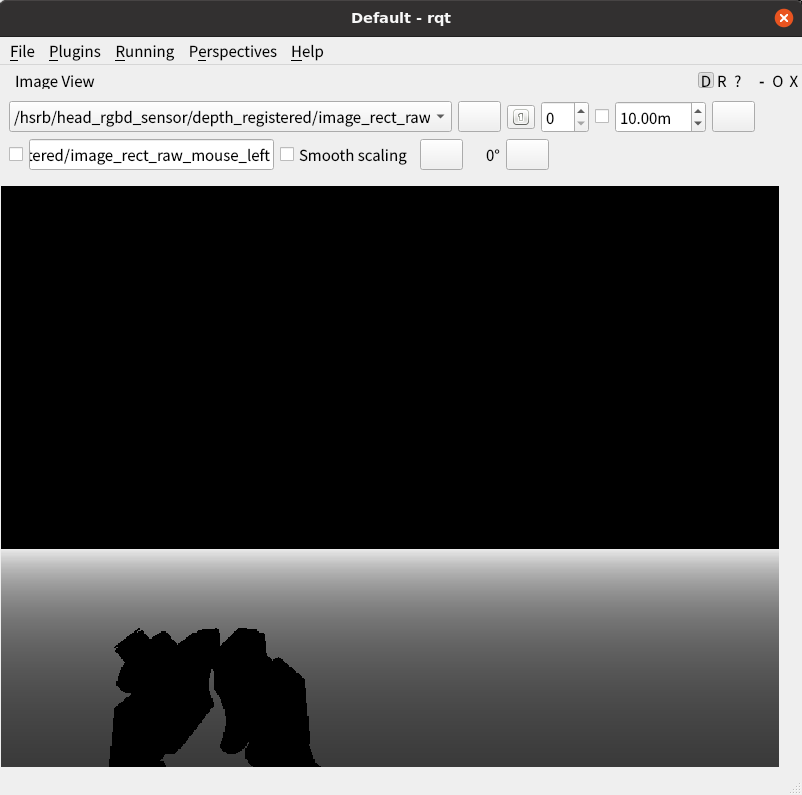
レーザースキャナー
publishされているレーザースキャナーの出力を取得する
$ ros2 topic echo  --no-arr /scan
header:
  stamp:
    sec: 11092
    nanosec: 205000000
  frame_id: base_range_sensor_link
angle_min: -2.0999999046325684
angle_max: 2.0999999046325684
angle_increment: 0.005833333358168602
time_increment: 0.0
scan_time: 0.0
range_min: 0.05000000074505806
range_max: 60.0
ranges: '<sequence type: float, length: 721>'
intensities: '<sequence type: float, length: 721>'
6軸力覚センサー
注釈
シミュレータでのみ利用可能です。
publishされている力覚センサの出力を取得する
$ ros2 topic echo /wrist_wrench/raw
header:
  stamp:
    sec: 11271
    nanosec: 366000000
  frame_id: wrist_ft_sensor_frame
wrench:
  force:
    x: -34.62322695566456
    y: -0.14540779690636907
    z: -1.8011436005398451
  torque:
    x: 0.030794509482329233
    y: -2.105840487050739
    z: -0.018643797444077546
関節状態
publishされている各関節の現在状態を取得する
$ ros2 topic echo /joint_states
header:
  stamp:
    sec: 1647839284
    nanosec: 624605014
  frame_id: ''
name:
- arm_flex_joint
- arm_lift_joint
- arm_roll_joint
- base_l_drive_wheel_joint
- base_roll_joint
- base_r_drive_wheel_joint
- head_pan_joint
- wrist_flex_joint
- head_tilt_joint
- wrist_roll_joint
position:
- -2.8903283935122204e-06
- 0.19972439991014018
- -1.5700229673346995
- 181.4944573276328
- 3.141743624263463
- 204.7184796245906
- 0.9999903535217216
- -1.5695753709525095
- 0.5002338911119635
- 2.3949704772263658e-05
velocity:
- -0.0009215255691328098
- -0.27647109041567
- -0.022944800640008145
- 0.028210998586525215
- 0.24622042188149748
- 0.02374781245119207
- -0.009186018402255636
- 0.4246389928247181
- 0.23367769165418287
- 0.023994581529605992
effort:
- 0.0
- 0.0
- 0.0
- 0.0
- 0.0
- 0.0
- 0.0
- 0.0
- 0.0
- 0.0
デジタルI/O
注釈
シミュレータでのみ利用可能です。
publishされている前部バンパセンサ状態を取得する
$ ros2 topic echo /base_f_bumper_sensor
data: false
publishされている後部バンパセンサ状態を取得する
$ ros2 topic echo /base_b_bumper_sensor
data: false
ControllerManager制御
ロード可能なコントローラを取得する
$ ros2 service call /controller_manager/list_controller_types controller_manager_msgs/srv/ListControllerTypes
requester: making request: controller_manager_msgs.srv.ListControllerTypes_Request()

response:
controller_manager_msgs.srv.ListControllerTypes_Response(types=['controller_manager/test_controller', 'controller_manager/test_controller_failed_init', 'controller_manager/test_controller_with_interfaces', 'diff_drive_controller/DiffDriveController', 'effort_controllers/JointGroupEffortController', 'force_torque_sensor_broadcaster/ForceTorqueSensorBroadcaster', 'forward_command_controller/ForwardCommandController', 'hsrb_base_controllers/OmniBaseController', 'imu_sensor_broadcaster/IMUSensorBroadcaster', 'joint_state_broadcaster/JointStateBroadcaster', 'joint_state_controller/JointStateController', 'joint_trajectory_controller/JointTrajectoryController', 'position_controllers/JointGroupPositionController', 'tmc_ros2_controllers/ExxxDriveModeBroadcaster', 'tmc_ros2_controllers/ExxxDriveModeController', 'velocity_controllers/JointGroupVelocityController'], base_classes=['controller_interface::ControllerInterface', 'controller_interface::ControllerInterface', 'controller_interface::ControllerInterface', 'controller_interface::ControllerInterface', 'controller_interface::ControllerInterface', 'controller_interface::ControllerInterface', 'controller_interface::ControllerInterface', 'controller_interface::ControllerInterface', 'controller_interface::ControllerInterface', 'controller_interface::ControllerInterface', 'controller_interface::ControllerInterface', 'controller_interface::ControllerInterface', 'controller_interface::ControllerInterface', 'controller_interface::ControllerInterface', 'controller_interface::ControllerInterface', 'controller_interface::ControllerInterface'])
現在ロードされているコントローラを取得する
$ ros2 service call /controller_manager/list_controllers controller_manager_msgs/srv/ListControllers
requester: making request: controller_manager_msgs.srv.ListControllers_Request()

response:
controller_manager_msgs.srv.ListControllers_Response(controller=[controller_manager_msgs.msg.ControllerState(name='joint_state_controller', state='active', type='joint_state_controller/JointStateController', claimed_interfaces=[]), controller_manager_msgs.msg.ControllerState(name='head_trajectory_controller', state='active', type='joint_trajectory_controller/JointTrajectoryController', claimed_interfaces=['head_tilt_joint/position', 'head_pan_joint/position']), controller_manager_msgs.msg.ControllerState(name='arm_trajectory_controller', state='active', type='joint_trajectory_controller/JointTrajectoryController', claimed_interfaces=['arm_lift_joint/position', 'arm_flex_joint/position', 'arm_roll_joint/position', 'wrist_flex_joint/position', 'wrist_roll_joint/position']), controller_manager_msgs.msg.ControllerState(name='omni_base_controller', state='active', type='hsrb_base_controllers/OmniBaseController', claimed_interfaces=['base_roll_joint/position', 'base_r_drive_wheel_joint/velocity', 'base_l_drive_wheel_joint/velocity'])])